Free Government Tablet in Connecticut: Safe Lifeline and Benefit Options in 2026
Connecticut residents may find a free or discounted tablet through a Lifeline provider promotion, but no federal or Connecticut benefit guarantees a tablet. Start with Lifeline eligibility through SNAP, HUSKY Health Medicaid, SSI, housing assistance, veterans benefits, qualifying income, or another accepted route. Then verify service and device terms for your exact ZIP code. Free Tablet Apply is independent and informational. It does not approve benefits, represent a government agency, provide service, or ship devices.
A benefit such as Connecticut SNAP or HUSKY Health can help prove Lifeline eligibility, but it is not a tablet voucher. ACP ended, while Lifeline remains active mainly as a phone or internet service discount. A provider device may be free, discounted, refurbished, a basic Android model, limited by stock, or unavailable. ZIP code, coverage, eligibility, activation, shipping, copay, inventory, and provider rules all matter.
Quick Answer for Connecticut Residents
Best answer for Connecticut residents
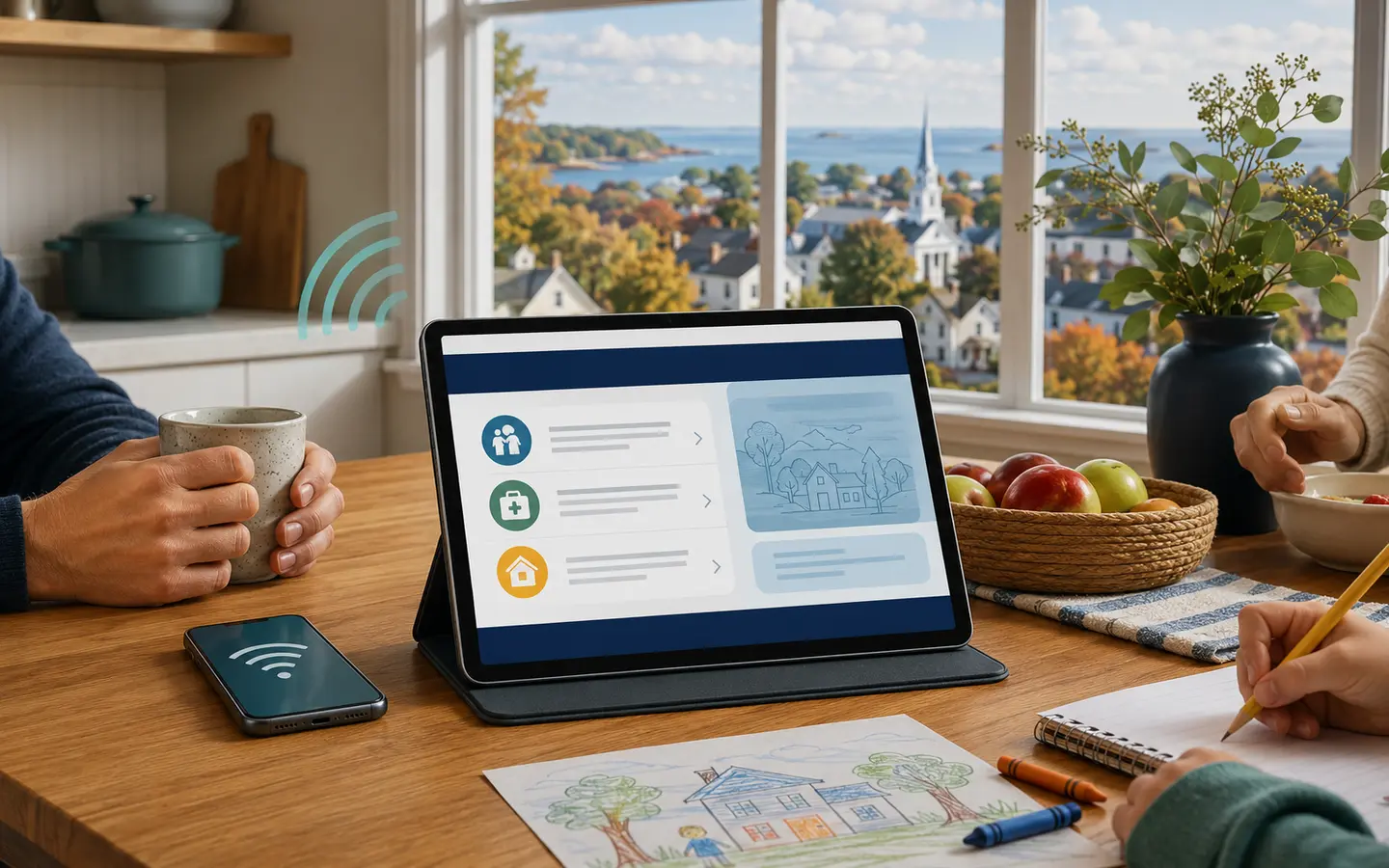
If you are searching for a free government tablet in Connecticut, treat benefit participation as possible eligibility proof, not a guaranteed device. Connecticut SNAP, HUSKY Health Medicaid, SSI, Federal Public Housing Assistance, Section 8, Veterans Pension, Survivors Benefit, qualifying Tribal programs, or household income may help establish Lifeline eligibility. After verification, a participating provider may or may not offer a tablet at your address. Check the final cost, device condition, stock, service terms, activation, shipping, return policy, and recurring charges before agreeing.
Connecticut also has a verified device-access alternative that should not be confused with a tablet giveaway. The Laptop ConneCT Program is administered by the Connecticut Department of Energy and Environmental Protection, or DEEP, with the Connecticut State Library. Participating public libraries can provide laptop loans and on-site access to eligible residents. The laptop remains part of a library lending program, and local participation, library-card rules, eligibility, training, and availability apply.
Location still matters in a compact state. Applicants in multi-unit buildings in Hartford, New Haven, Bridgeport, Stamford, Waterbury, or New Britain may face unit-number and household questions. People in Litchfield County, northwestern hills, the Quiet Corner, and smaller eastern towns may see different wireless coverage or fewer nearby service choices. Shoreline and temporary mailing situations can also create address mismatches. Use the exact home address and ZIP code where service will be used.
What “Free Government Tablet” Means in 2026
The phrase “free government tablet” is common in online advertising, but it can suggest more than current programs promise. Most realistic offers are provider promotions linked to Lifeline eligibility, income verification, or a local device-access project. A government agency may oversee funding or eligibility, yet that does not mean it chooses a model and sends a tablet to every eligible Connecticut household.
The Affordable Connectivity Program, or ACP, ended after federal funding ran out. Households stopped receiving ACP discounts on June 1, 2024. The former ACP connected-device discount is not an active federal tablet benefit in 2026. A page that describes ACP as a current automatic monthly discount or current guaranteed tablet route is outdated or misleading.
Lifeline remains active. It is an FCC program administered by the Universal Service Administrative Company, or USAC. Lifeline mainly lowers the cost of qualifying phone, internet, or bundled service. A provider's phone or tablet promotion is separate from the core Lifeline discount. The promotion may change even when federal Lifeline eligibility rules remain the same.
A former federal broadband discount program. ACP discounts ended on June 1, 2024, and its connected-device benefit is no longer active.
An active federal benefit that may lower eligible phone, internet, or bundled service costs. Lifeline itself does not guarantee a tablet.
The USAC eligibility system used for many Lifeline checks. It may verify identity, address, income, household status, or participation in an accepted program.
A provider may offer a basic Android tablet, a refurbished device, a discounted device, or no tablet. Provider coverage, ZIP code, stock, eligibility, one-per-household rules, activation, shipping, copay, and service terms can all affect the result.
Does Connecticut Have a Free Tablet Program?
I could not confirm a separate official statewide program that guarantees a free tablet for Connecticut residents. Most realistic paths are Lifeline service, provider device promotions, discounted or refurbished devices, local libraries, community organizations, and disability or digital access resources.
Connecticut does have Laptop ConneCT, a state-supported library access program for laptops. It is a strong alternative for residents who need a computer for education, work, health, benefits, or essential online services. It is not a free tablet ownership program. The official description says participating libraries primarily provide long-term home loans and on-site use. Adults generally need to be at least 18, hold a valid library card from the same municipality, participate in a qualifying assistance program such as SNAP, CEAP/LIHEAP, Medicare, or HUSKY Health, and lack a comparable device at home. Residents should confirm whether their local library participates and what inventory is available.
What this page can and cannot confirm
- Can confirm: Lifeline remains active, ACP ended, Connecticut SNAP and HUSKY Health can be qualifying Lifeline routes, and Laptop ConneCT is a state-supported library laptop-loan initiative.
- Can explain: Safer verification steps, common documents, local alternatives, and questions to ask before accepting a device offer.
- Cannot confirm: Approval, timing, same-day shipping, exact provider service, a particular tablet model, device condition, inventory, or final price at your Connecticut address.
- Cannot do: Free Tablet Apply cannot submit a government application, approve Lifeline, issue SNAP or HUSKY Health, activate service, or ship a device.
Main Ways Connecticut Residents May Qualify
Lifeline eligibility generally begins with an accepted public benefit or qualifying household income. Use a current, readable document that identifies the applicant or qualifying dependent and matches the name and address on the application. Eligibility for Lifeline does not create a guaranteed tablet entitlement.
Connecticut SNAP / EBT
The Connecticut Department of Social Services, or DSS, administers SNAP. A current DSS approval, renewal, or benefit notice can support a Lifeline check. The EBT card itself is not a tablet coupon.
HUSKY Health Medicaid
Connecticut's Medicaid and Children's Health Insurance Program coverage is known as HUSKY Health. Active HUSKY Health proof can support Lifeline eligibility, but the health program does not promise a consumer tablet.
Income and other benefits
SSI, Federal Public Housing Assistance, Section 8, Veterans Pension, Survivors Benefit, qualifying Tribal assistance, or household income within current Lifeline limits may also establish eligibility.
| Eligibility route | Useful Connecticut proof | What it may establish |
|---|---|---|
| SNAP | Current Connecticut DSS SNAP approval, renewal, or benefit notice | Participation in an accepted Lifeline qualifying program |
| Medicaid | Current HUSKY Health eligibility or coverage notice | Active Medicaid participation, subject to verifier rules |
| SSI | Current Social Security benefit or award letter | Participation in an accepted federal benefit |
| Housing assistance | Federal Public Housing Assistance, Section 8, or public housing notice | Participation in an accepted housing program |
| Veterans benefits | Veterans Pension or Survivors Benefit documentation | Participation in an accepted veterans program |
| Tribal assistance | Accepted Tribal program proof when applicable under current Lifeline rules | Possible program eligibility, including Tribal rules where they apply |
| Household income | Recent pay records, tax return, pension, unemployment, or other accepted proof | Income-based Lifeline eligibility when benefit proof is unavailable |
Lifeline generally permits one benefit per household, not one per person. Adults at one Connecticut address who do not share income and expenses may need to complete a household worksheet. Do not submit duplicate applications to obtain extra devices or service lines.
EBT/SNAP Free Tablet Options in Connecticut
Connecticut SNAP participation can help prove eligibility for Lifeline or a provider's qualifying check. SNAP does not guarantee a free tablet, and Connecticut DSS does not convert an EBT card into a device voucher. A current DSS benefit notice normally provides clearer proof than an image of an EBT card alone.
Never share your EBT PIN. A legitimate Lifeline or device eligibility process does not need permission to spend SNAP funds, view a grocery balance, or sign in to your banking account. The independent tablet with EBT guide explains how to compare offers without treating an EBT card as payment.
Connecticut DSS allows document submission through its official online systems, by mail, or at a resource center. If mailing documents without a printed cover sheet, DSS directs clients to write the Client ID and Case number at the top of every page. That is a state-specific SNAP processing instruction, not a request from Free Tablet Apply. For Lifeline, submit only what the official verifier or provider requests and use its own instructions.
Medicaid Free Tablet Options in Connecticut
HUSKY Health covers several Medicaid and CHIP groups in Connecticut. HUSKY A generally serves eligible children, parents, relative caregivers, and pregnant people. HUSKY B is Connecticut's CHIP coverage for children. HUSKY C includes Medicaid pathways for people who are older, blind, or disabled, and HUSKY D covers certain low-income adults. Active Medicaid participation can support Lifeline eligibility, but HUSKY Health does not automatically approve or ship a tablet.
Use a current eligibility or coverage notice when proof is requested. An old medical card, appointment page, or explanation of benefits may not show current enrollment. If eligibility comes through a child or dependent, follow National Verifier instructions for the qualifying dependent and household. Do not assume that an adult can simply upload a child's card without identifying the relationship required by the application.
Address updates matter. Connecticut's HUSKY guidance asks members to keep address and phone details current so notices reach them. An old apartment number, different surname, mailing address that does not match the service address, or expired coverage notice can trigger extra questions. Correct the source record when appropriate instead of repeatedly uploading inconsistent documents.
Lifeline Tablet and Phone Options in Connecticut
Lifeline reduces the monthly cost of eligible phone, internet, or bundled service. The National Verifier handles many eligibility checks, while participating companies enroll consumers in service and manage any separate phone or tablet promotion. Approval for the service benefit and availability of a device are related but different decisions.
First verify Lifeline eligibility. Next, use an official company-search tool and contact a provider to confirm service at the exact address. Ask whether the offer includes phone service, tablet service, a SIM, data, activation, shipping, or a copay. Ask whether the device is new or refurbished, whether a model is guaranteed, and what happens if it arrives damaged. Read cancellation, return, and inactivity rules before enrollment.
Independent provider explainers include the Lifeline phone and tablet guide, StandUp Wireless tablet information, Assurance Wireless tablet guidance, SafeLink tablet information, and AirTalk Wireless tablet options. These internal guides do not prove that any company currently serves a Connecticut address or has a tablet in stock.
Documents You May Need
| Document type | Possible examples | Connecticut check |
|---|---|---|
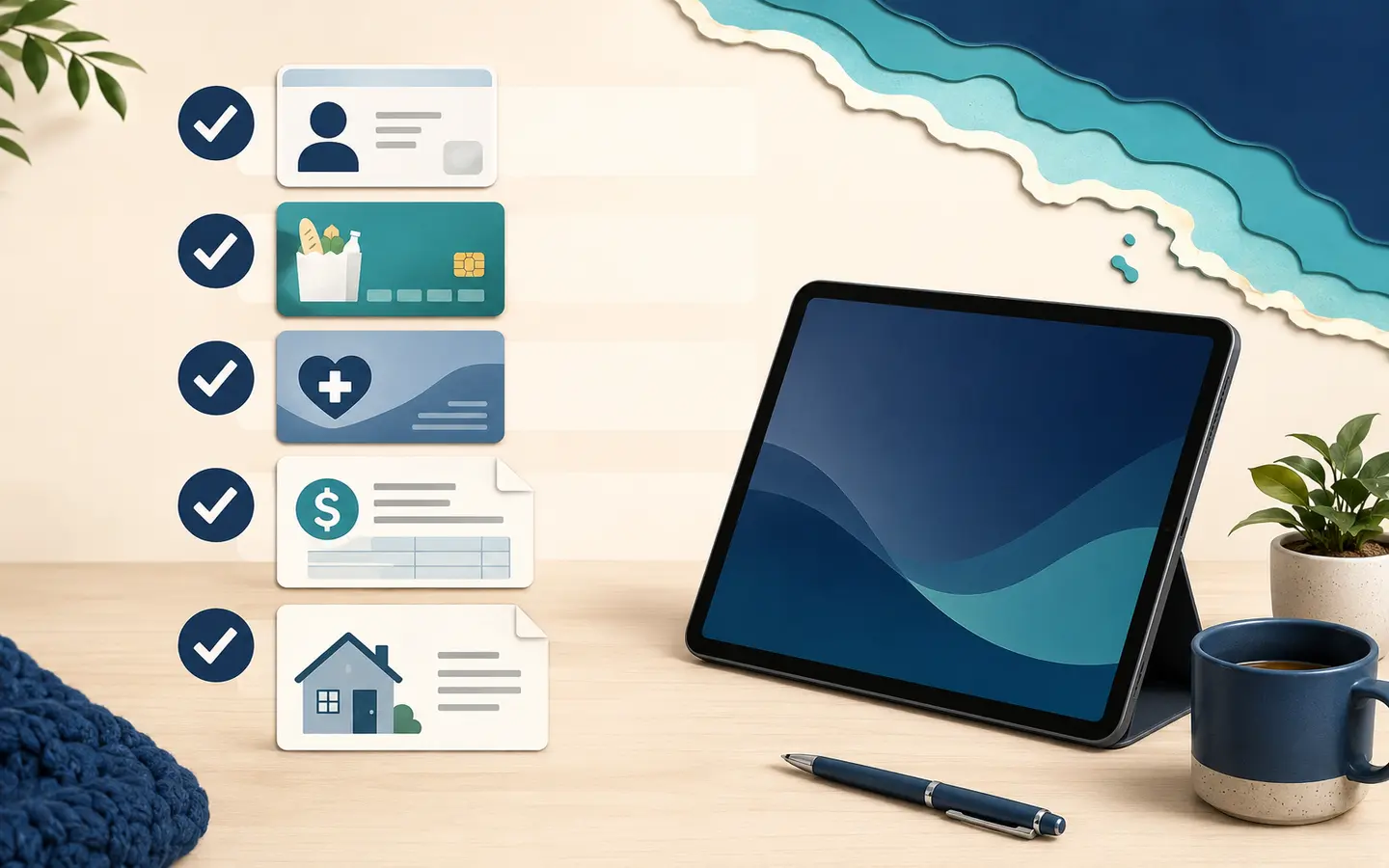
| Identity | Accepted government ID or identity record | The legal name should match DSS, HUSKY Health, or other eligibility proof. |
| Home address | Lease, utility bill, official benefit notice, or accepted address document | Include the correct apartment or unit, town, and ZIP code. A mailing address can differ from the home address only when the form permits it. |
| SNAP participation | Current Connecticut DSS SNAP approval or renewal notice | Show active status and the qualifying person's name. Never provide the EBT PIN. |
| Medicaid participation | Current HUSKY Health eligibility or coverage notice | Check the coverage date and whether the applicant or qualifying dependent is identified. |
| Income | Pay records, tax return, pension, unemployment, or accepted income proof | Household size and the income period should follow current Lifeline instructions. |
| Household status | Lifeline Household Worksheet when requested | This can matter in shared apartments, shelters, senior housing, and other addresses with more than one economic household. |
Review the government tablet documents guide before uploading files. Keep copies of what you submit. Crop photographs so all four corners and the issue date are visible, but do not expose extra sensitive details unless the official verifier specifically requires them.
Step-by-Step Application Path
- Check the core benefit first. Confirm whether you qualify through Connecticut SNAP, HUSKY Health, SSI, housing assistance, an accepted veterans or Tribal program, or household income.
- Prepare matching proof. Make sure the name, home address, apartment number, and benefit status are current and readable.
- Use the official Lifeline path. Apply through the National Verifier or with a participating phone or internet company using official instructions.
- Choose a company after eligibility. Confirm service at your exact Connecticut address rather than relying only on a statewide advertisement.
- Ask about the device separately. Verify tablet stock, model policy, condition, activation, shipping, copay, data plan, return terms, and ongoing service obligations.
- Save confirmation records. Keep application references, receipts, provider terms, and shipping details. Do not submit repeated applications unless directed.
For a simpler walk-through, use the safe application guide. It is informational and does not replace official eligibility or provider terms.
Provider Availability and ZIP Code Checks in Connecticut
A company listed for Connecticut may not serve every street, building, or wireless location. ZIP codes help narrow results, but coverage can still vary within the same ZIP. Confirm the exact address, the places where you expect to use mobile data, and whether the provider offers Lifeline service there.
Urban applicants may see more provider names yet still face indoor-signal problems in older brick buildings, basements, high-rises, or dense apartment blocks. Rural residents in northwestern Litchfield County or eastern Connecticut may face longer distances to support locations, weaker mobile coverage, or fewer fixed-service choices. Coastal and valley terrain can also affect real-world signal. A coverage map is a starting point, not a promise of indoor performance.
Provider stock is separate from network coverage. A company may offer Lifeline phone service without a tablet, or it may temporarily have a discounted tablet only in selected areas. Use the government tablet near me guide to prepare ZIP-code questions, then confirm all terms directly through an official provider channel.
What To Do If No Tablet Offer Is Available

Start with the need, not the device label. Lifeline phone or internet service may solve a connectivity problem even when no tablet is offered. A basic refurbished tablet from a reputable seller may be a better fit if it has a clear warranty, supported software, enough storage, and no unknown account lock. Avoid used devices that cannot receive security updates.
Connecticut's Laptop ConneCT Program is especially relevant. Participating public libraries can loan laptops for home use or offer on-site access to eligible residents. Local rules may include a municipal library card, assistance-program proof, a lack of a comparable home device, intake, and digital-skills training. Because it is a lending program, ask about the loan period, renewal, accessories, damage policy, data privacy, and whether internet service is included.
Other public libraries may provide computers, Wi-Fi, printing, scanning, and staff help even if they are not currently distributing Laptop ConneCT devices. Connecticut DEEP's Office of Telecommunications and Broadband maintains broadband planning and mapping resources. These resources help residents understand access gaps and affordability options, but they do not automatically provide a personal tablet.
For disability-related needs, Connecticut Aging and Disability Services lists assistive technology services including loan programs, education, and assessment. The correct device may require accessibility features, alternative input, screen reading, captioning, or communication support. This path is needs-based and should not be described as a general free-tablet giveaway.
Connecticut's nine Community Action Agencies, coordinated through CAFCA, cover all 169 cities and towns. They may help residents identify benefit, energy, employment, housing, or digital access support in their service area. Assistance varies by agency and funding. Connecticut 211 can also direct residents to local services. Neither resource should be treated as proof that a tablet is currently available.
Special Groups in Connecticut
Seniors and people with disabilities
Eligibility may come through HUSKY C, Medicaid, SSI, income, housing assistance, or another accepted route. Compare the tablets for seniors guide and ask Connecticut Aging and Disability Services about assistive technology when accessibility is the main need.
Veterans and surviving family members
Veterans Pension or Survivors Benefit can be a Lifeline eligibility route. A Connecticut tablet offer still depends on provider service, stock, and device terms. The tablet guide for veterans explains the distinction.
Families with SNAP or HUSKY Health
Active program proof can support Lifeline eligibility. A child or dependent may be the qualifying participant, but the application must follow household and dependent rules. Do not create multiple applications for each family member.
Rural residents
Check voice and data coverage where the device will be used, not only at a mailing address. Library access and Laptop ConneCT may be useful when mobile coverage or local provider choice is limited.
Students and adult learners
Ask a school, college, workforce program, or public library about device loans and computer labs. A student status by itself is not a standard Lifeline qualifying program unless another accepted route applies.
Residents on qualifying Tribal lands
Enhanced Tribal Lifeline rules may apply in qualifying locations and through accepted Tribal assistance programs. Verify the current land, program, household, and provider requirements through official Lifeline sources before applying.
Scam Warnings for Connecticut Residents
- Your EBT PIN or permission to use SNAP funds
- A bank login, debit-card PIN, or online-banking password
- Payment through gift card, cryptocurrency, or a rushed money-transfer app
- A fee before the company identifies itself and provides written terms
Other warning signs include a fake government logo, guaranteed approval, guaranteed premium tablet, pressure to pay immediately, a social-media-only contact, no provider name, no privacy information, or no official eligibility path. “Free” can still involve activation, shipping, copay, taxes, or service conditions, so read the final checkout and enrollment terms.
Free Tablet Apply will not ask for an SSN, EBT PIN, bank login, or banking details. Use official eligibility systems and verified provider channels for sensitive information. If a person claims to represent Connecticut DSS, HUSKY Health, the FCC, USAC, or a library, independently locate the official agency contact rather than calling a number from the message.
Helpful Checklist Before You Apply
- I understand that no federal or Connecticut program guarantees me a free tablet.
- I know ACP ended and households stopped receiving ACP discounts on June 1, 2024.
- I checked whether my SNAP, HUSKY Health, SSI, housing, veterans, Tribal, or income route is current.
- My name, home address, apartment or unit, and ZIP code match across documents.
- I checked the one-Lifeline-benefit-per-household rule.
- I verified the company through an official Lifeline source.
- I asked about tablet price, stock, model policy, condition, activation, shipping, copay, and return terms.
- I did not share an EBT PIN, bank login, or sensitive password.
- I saved application references and written provider terms.
- I checked Laptop ConneCT, my public library, community action, or assistive technology options if no provider tablet is available.
FAQs About Free Tablets in Connecticut
Can I get a free government tablet in Connecticut in 2026?
You may find a free or discounted tablet promotion through a participating provider, but the federal government and Connecticut do not guarantee a tablet. Availability depends on Lifeline eligibility, ZIP code, coverage, provider rules, stock, activation, shipping, copay, and device terms.
Does Connecticut have an official statewide free tablet program?
I could not confirm a separate Connecticut program that guarantees free tablet ownership. Laptop ConneCT is a verified statewide initiative that supports laptop loans and on-site use through participating public libraries for eligible residents, not a tablet giveaway.
Can Connecticut SNAP or EBT help me qualify for a tablet offer?
Active Connecticut SNAP participation can help establish Lifeline eligibility, which a provider may use for a separate device promotion. SNAP does not guarantee a tablet, and you should never provide your EBT PIN.
Can HUSKY Health Medicaid help me get a tablet?
Active HUSKY Health Medicaid participation can be a Lifeline qualifying route. It does not mean HUSKY Health approves or ships a tablet. Any device depends on a provider or a separate local access program.
Is ACP still available for Connecticut tablet discounts?
No. ACP ended, and households stopped receiving ACP discounts on June 1, 2024. Its former connected-device discount is not an active federal benefit in 2026.
What is Laptop ConneCT?
Laptop ConneCT is administered by Connecticut DEEP with the Connecticut State Library. Participating public libraries can provide laptop loans and on-site access to eligible residents. Local library participation, card, eligibility, training, inventory, and loan rules apply.
Why does my Connecticut ZIP code matter?
Provider service areas, wireless coverage, shipping rules, and tablet stock can vary by ZIP code and address. Urban buildings, shoreline locations, northwestern hills, and rural eastern towns may experience different coverage or service choices.
What kind of tablet might a provider offer?
A provider may offer a basic Android tablet, a refurbished device, a discounted device, or no tablet. Do not expect a guaranteed iPad, Samsung model, premium device, or exact inventory unless current written provider terms say so.
Can Connecticut seniors get a free tablet?
Seniors may qualify for Lifeline through Medicaid, SSI, income, housing assistance, or another accepted route, but a tablet is not guaranteed. Public libraries, Laptop ConneCT, and Connecticut assistive technology services may offer useful alternatives.
Can Connecticut veterans qualify for tablet assistance?
Veterans may qualify for Lifeline through Veterans Pension, Survivors Benefit, SNAP, Medicaid, or income. A tablet promotion still depends on provider service, ZIP code, stock, and device terms.
What should I do if my documents do not match?
Check the legal name, home address, apartment or unit, ZIP code, benefit status, and issue date. Correct the source record when appropriate and follow official requests for a household worksheet or additional proof instead of sending repeated applications.
Is Free Tablet Apply part of the Connecticut government?
No. Free Tablet Apply is an independent informational website. It does not represent Connecticut agencies, the FCC, USAC, or providers, and it does not approve benefits, issue service, ship tablets, or request EBT PINs or bank logins.
Final Helpful Summary
Connecticut answer recap
Safest answer: no tablet is guaranteed. Connecticut SNAP, HUSKY Health, SSI, housing assistance, accepted veterans or Tribal programs, or qualifying income may help establish Lifeline eligibility. Lifeline mainly discounts phone or internet service, while any tablet is a separate provider promotion. Confirm ZIP code, coverage, stock, condition, activation, shipping, copay, and written terms. If no tablet is offered, check Laptop ConneCT, public library computers, community action, assistive technology, and reputable low-cost devices.
Your next practical step is to prepare matching documents, use the official Lifeline eligibility path, and compare verified companies for your exact address. Keep personal information inside official systems. Review the site's independent information disclaimer if you need more detail about the limits of this guidance.
External Resources
Source transparency: The links below lead to official federal or Connecticut government pages and one statewide community-action association. They are provided for verification and local help. An official resource can confirm program rules, but it still cannot guarantee a provider tablet, model, stock, shipping date, or final cost.
- FCC Affordable Connectivity Program status
- FCC Lifeline consumer information
- Lifeline Support and National Verifier access
- USAC Lifeline application instructions
- USAC Lifeline eligibility rules
- USAC Lifeline Companies Near Me
- Connecticut DSS SNAP application and document information
- Connecticut HUSKY Health qualification information
- Connecticut DEEP broadband deployment and digital access resources
- Connecticut Laptop ConneCT Program
- Connecticut Aging and Disability Services programs
- Connecticut Community Action Agencies directory
- Connecticut 211 local resource directory